How to pay New York estimated taxes.
New York collects its own estimated tax, separate from the IRS. One payment covers New York State, New York City, and Yonkers tax. Here’s how to pay it online.
Do you need to pay?
You generally need to make New York estimated payments if you expect to owe at least $300 of New York State, New York City, or Yonkers tax after withholding and credits. Each tax is tested on its own, so $300 of city tax alone is enough.
You avoid the underpayment penalty if your withholding plus timely estimates cover the smaller of 90% of this year's tax or 100% of last year's tax, rising to 110% if last year's New York AGI was over $150,000 ($75,000 if married filing separately). For how to pick an amount, see how much to pay.
Deadlines
New York uses the federal dates: April 15, June 15, September 15, and January 15, each moving to the next business day when it falls on a weekend or holiday. Unlike California, New York expects four equal installments. Pay at least two business days early.
Paying New York, step by step
What you need
- A NY Online Services account. Creating one takes about 10 minutes the first time.
- A recent New York return (Form IT-201 or IT-203) to verify your identity when you create the account.
- Your bank routing and account numbers.
- Go to New York's estimated tax page. Open Make an estimated income tax payment on tax.ny.gov and click “Log in | Create account.”
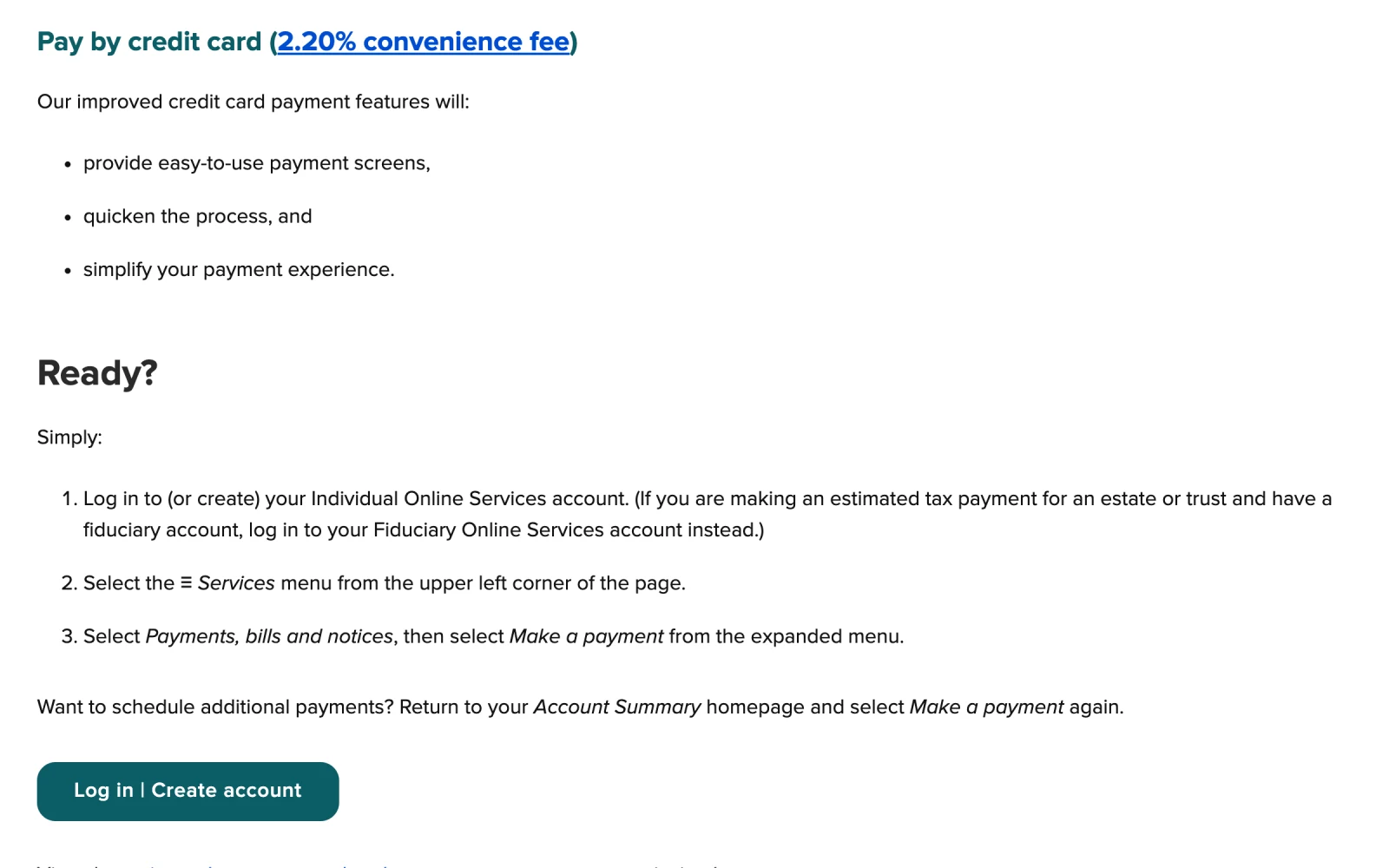
- Click “Log in | Create account.” New York only takes online estimated payments through an Online Services account.
- Log in, or create your account. First time? Choose “Create Tax Online Services account,” verify your identity with information from a recent New York return, and set up your username and security questions. After that, use “Login with username.”
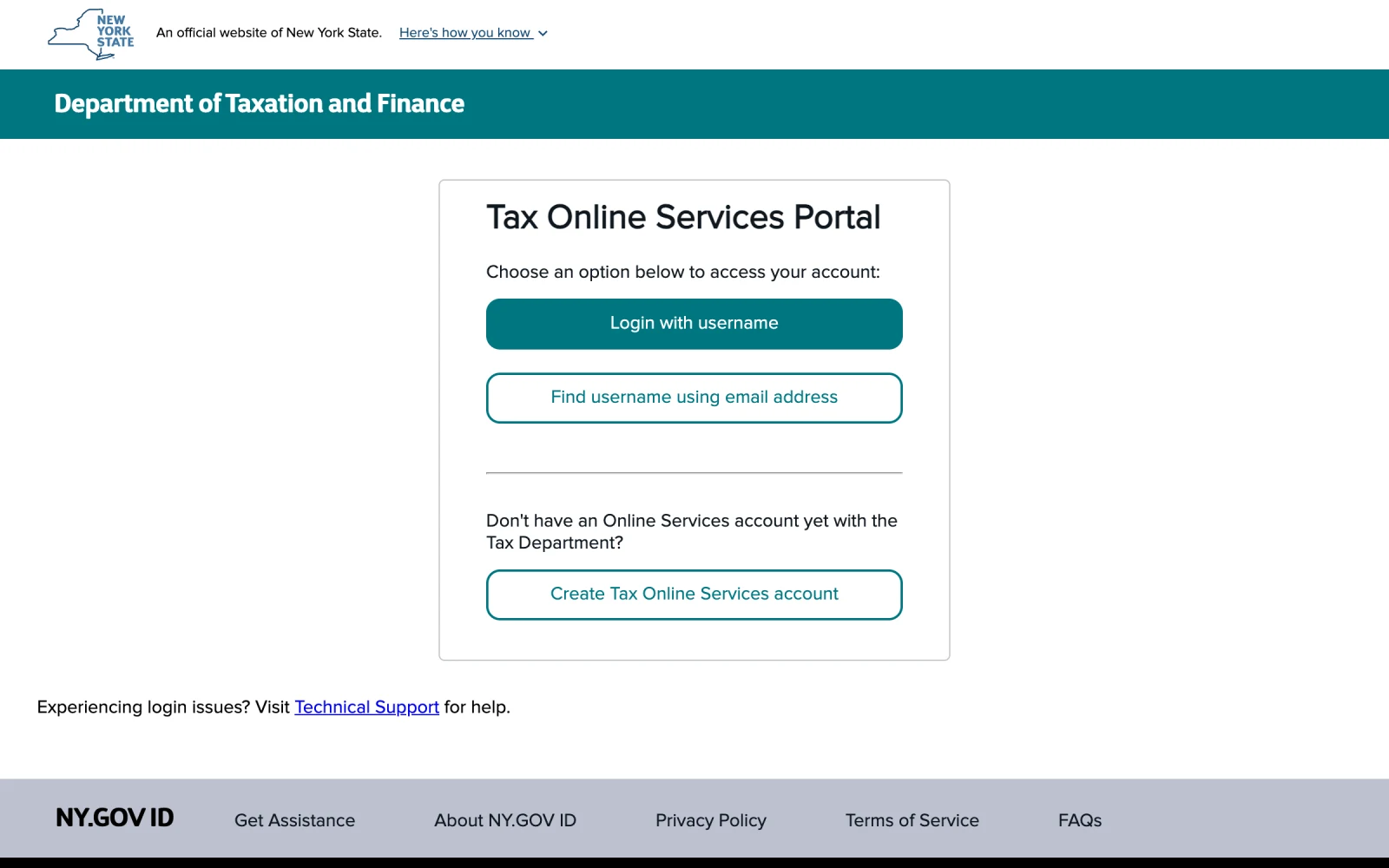
- Already have an account? Log in here.
- First time? Create your account here.
- Open the payment menu. Select the Services menu (≡) in the upper left, then Payments, bills and notices, then Make a payment.
- Choose estimated tax. Select the estimated tax payment option and the tax year the income is earned. A January 2027 payment covers 2026. If you are paying last year's balance on extension, choose the extension option instead (see below).
- Enter the amount. Enter one total for New York State, New York City, and Yonkers tax. They go to the same place, so there is no separate city payment. Pay from your bank account, which is free. A credit card adds a 2.20% fee.
- Review, submit, and save the confirmation. Check the tax year and amount, submit, and save a screenshot of the confirmation. To schedule another payment, return to your Account Summary and choose Make a payment again.


New York will not fill these payments in for you. Your preparer has to enter each estimated payment on your New York return. Keep your own record of the date and amount and send it to whoever prepares your taxes.
Paying a New York extension
A federal extension does not extend your New York return. New York grants its own automatic six-month extension when you file Form IT-370 by April 15 and pay the tax you expect to owe. You can request the extension and pay through the same Online Services account: from Payments, bills and notices, choose the extension option for last year's tax rather than an estimated payment.
The extension gives you more time to file, not to pay. Any balance not paid by April 15 accrues interest.
Good to know
- Moving in or out of New York? Part-year residents can owe estimates to both states. New York taxes income you earned while living there and New York-source income, such as wages for days worked in the state.
- Paying by mail. If you cannot pay online, mail Form IT-2105 with a check. Paying online is faster and gives you instant confirmation.
- Paying other states. See the payment links for every state's official site, and the California walkthrough.
This guide is for general education and reflects rules as of October 2026. Tax law and agency websites change, and your situation may have details that change the answer. Please talk with your tax professional before acting on it.