How to pay California estimated taxes.
California collects its own estimated tax through the Franchise Tax Board, on a different schedule than the IRS. Here’s how to pay it online with Web Pay.
Do you need to pay?
You generally need to make California estimated payments if you expect to owe at least $500 ($250 if married filing separately) after withholding and credits.
California uses the same safe harbors as the IRS, covering the smaller of 90% of this year's tax or 100% of last year's tax (110% if last year's AGI was over $150,000), with one important exception: if your California AGI is $1 million or more this year, you cannot use the prior-year safe harbor. You have to pay 90% of the current year's tax. A large business sale or stock liquidation can push you over that line, so plan for it before the sale closes. More in how much to pay.
Deadlines and the 30/40/0/30 split
California uses the federal dates but not equal amounts. It wants 70% of the year's estimate by June 15 and nothing in September.
| Payment | Due | Share of the year |
|---|---|---|
| 1st | April 15 | 30% |
| 2nd | June 15 | 40% |
| 3rd | September 15 | 0% (nothing due) |
| 4th | January 15 of the next year | 30% |
If you pay California in four equal amounts like the federal schedule, you will be short in June even though your total is right. Dates on a weekend or holiday move to the next business day. Pay at least two business days early.
Paying California, step by step
What you need
- Your Social Security number and last name, exactly as the FTB has them.
- Your bank routing and account numbers.
- About five minutes. No account is required.
- Go to Web Pay. Open Pay by bank account (Web Pay) on ftb.ca.gov and click “Use Web Pay personal.” Sole proprietors use the personal option too.
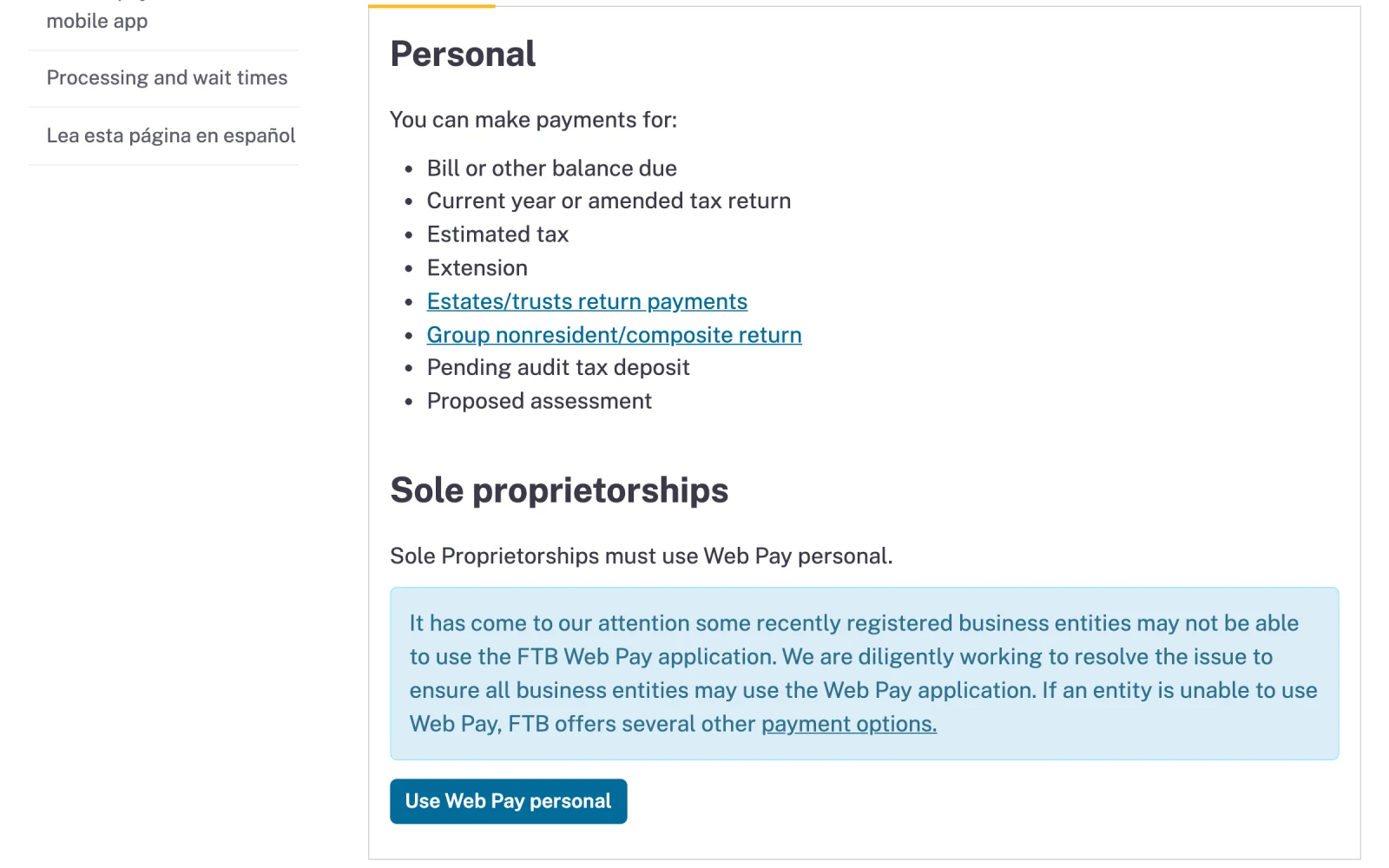
- Estimated tax is one of the payment types Web Pay accepts.
- Click “Use Web Pay personal.”
- Log in with your Social Security number and last name. That is all Web Pay asks for. The combination has to match the FTB's records.
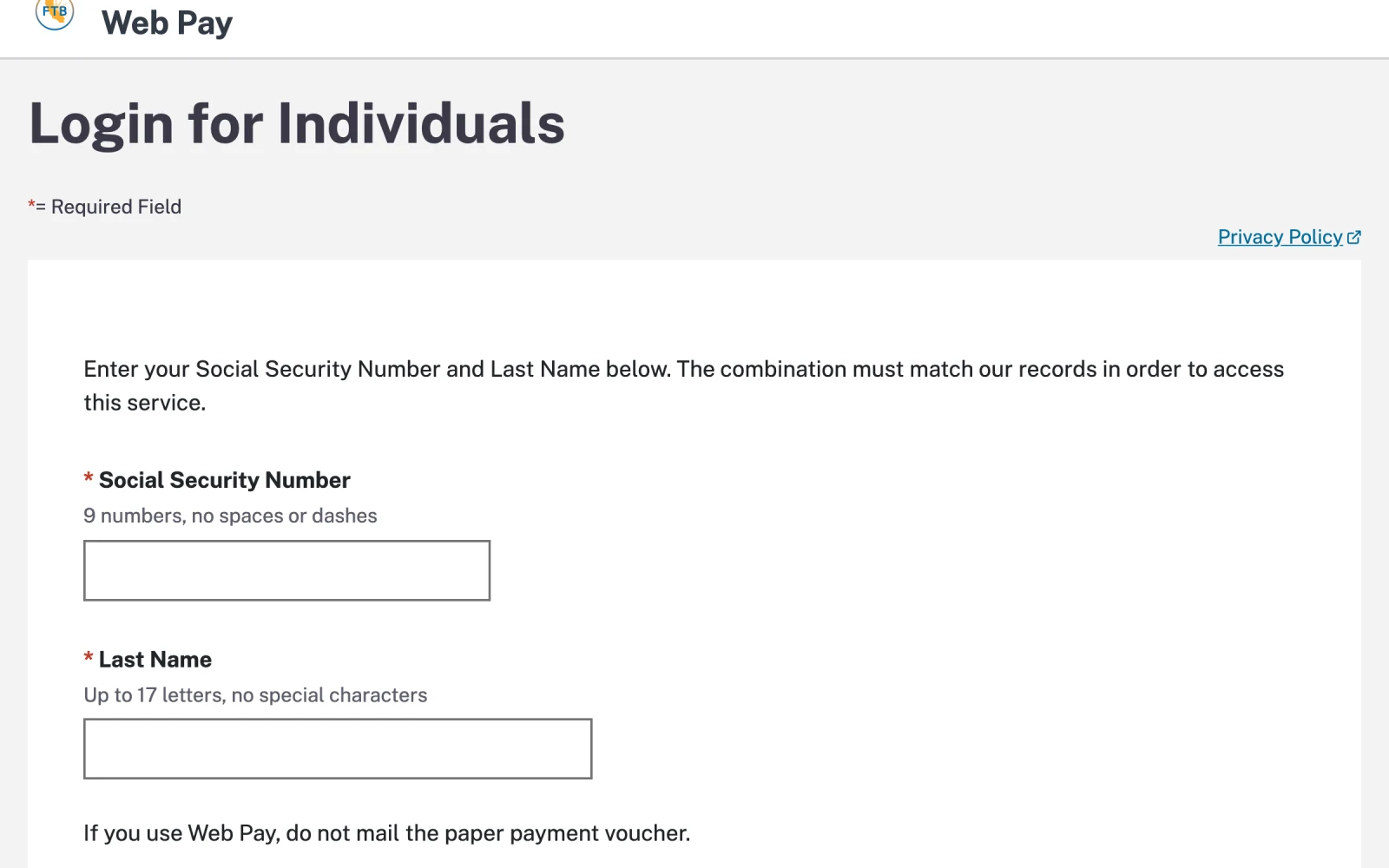
- Your Social Security number, 9 digits with no dashes.
- Your last name.
- Choose Estimated Tax. Select the estimated tax payment type and the tax year the income is earned. A January 2027 payment covers 2026. Do not choose Extension or Tax Return for an estimate.
- Enter the amount and date. Use the 30/40/0/30 split, not equal quarters.
- Enter your bank account, then review and submit.
- Save the confirmation number and add the payment to your records. If you pay with Web Pay, do not also mail the paper 540-ES voucher.


Want to schedule ahead? Paying through a MyFTB account lets you schedule future payments, view past ones, and cancel a payment. Registration can take several days to finish, so set it up before you need it.
Paying a California extension
California gives you an automatic six-month extension to file, with no form to send. It does not extend the time to pay. If you expect to owe for last year, pay by April 15.

- The extension to file is automatic. There is no form to send.
- It is not an extension to pay. What you owe is still due April 15.
- Open Web Pay and log in the same way as an estimated payment.
- Extension is one of the payment types Web Pay accepts.
- Click “Use Web Pay personal,” then log in with your Social Security number and last name.
- Choose Extension as the payment type (it applies to Form 3519) and select last year as the tax year. This screen appears only after you log in, so there is no screenshot of it here.
- Enter the amount, submit, and save the confirmation. Make this year's first estimated payment as a separate transaction.
Good to know
- The mandatory e-pay rule. Once you make any single estimated or extension payment over $20,000, or file a return showing total tax over $80,000, California requires every future payment to be made electronically, regardless of size or tax year. Mailing a check after that point triggers a 1% penalty.
- If you own a pass-through business. If your S corporation or partnership elects California's pass-through entity elective tax (PTET), the business makes its own PTET payments, with the first one due June 15. Those payments create a credit on your personal return, so your personal estimates can usually be lower. Coordinate the two with your CPA.
- Card payments. California accepts credit cards through a third-party processor that charges a percentage fee. Web Pay from your bank account is free.
- Leaving California? California can still tax income tied to the state after you move, including the share of stock options or RSUs earned while you worked there.
- Paying other states. See the guide for every state, and the New York walkthrough.
This guide is for general education and reflects rules as of October 2026. Tax law and agency websites change, and your situation may have details that change the answer. Please talk with your tax professional before acting on it.